|
|
|
|
|
|
| |
|
|
Video tutorial for AutoPlay Media Studio 8.0
|
|
Video tutorial for AutoPlay Media Studio 7.5
This video tutorial has been acquired from Downloadtube.com
|
Review
This is official description
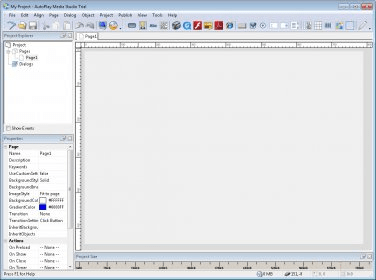
AutoPlay Media Studio™ 8 delivers on the promise of rapid application development. What would normally take days or weeks to build using traditional software development tools (C, C , Java, Visual Basic) can now be created in record time – even if you’ve never programmed before. It’s perfect for making anything from AutoPlay CD menus and utilities to games and interactive multimedia applications – complete with web interaction, database connectivity, video playback and much more.
The following review written by one of the Software Informer contributors applies to version 7.5
AutoPlay Media Studio is a software that can be used to create custom software applications like auto run menus, presentations, multimedia applications and other customized software. It software is based on the Lua scripting engine which is common in all of the Indigo Rose tools. The output so obtained from the software is comparable to the output created by C++ and Java.
AutoPlay Media Studio has a wide selection of support for the latest technologies. It has its own customized DialogEx action category. There are over 21 new actions followed by 6 new application actions. The projects made with this software can be further enhanced by using its plug-ins. These plug-ins offer support for technologies like XML, SQLite, encryption etc. There is a wide range of options and support for various technologies.
AutoPlay Media Studio is user friendly. Users do not need to be professionals to operate it. It is bundled with video training, online user forum and some content add-ons made by professionals. Users can add different images, flash, text, videos and music by just using the mouse to drag and drop. The wizard can be utilized to make the complicated tasks easier. Custom applications can be built within a short span of time. |
- User friendly, Tutorials make it easy to use.
|
- Additional customization requires expertise and separate technologies
|
|
Reviewed by: Nelson Sanchez Reviewer rating: Reviewed: 3 years ago
|
What's new in version 8.0
- Faster & More Powerful Lua 5.1 Scripting Engine. AutoPlay Media Studio 8′s scripting engine is now faster, more powerful and much more extensible. The Lua 5.1 system features a new module system, incremental garbage collection, new mechanism for varargs, new syntax for long strings and comments, mod and length operators, metatables for all types and a fully reentrant parser. - Support for Lua 5.1 Code Modules. With the new scripting engine upgrade comes compatibility with Lua 5.1 modules. You now have access to a wealth of free Lua code you can download and use in your AutoPlay Media Studio 8 projects. In most cases you simply copy the module files into your project and “require” them in your script. Just some of the useful modules out there include Bit Operation, Date, Canvas Draw, Imaging Tool, GD, Crypto, Colors, Speech, Alien, Social (Twitter), CURL, Regular Expression Parsing and so much more. It’s a whole treasure chest of addons and tools just waiting for you! - Blu-ray Disc Support. Do your projects contain huge database and video files? AutoPlay Media Studio 8 now includes full support for burning directly to Blu-Ray media (BD-R, BD-RE). The integrated Bluray disc burning allows you to publish your project directly to single layer and dual-layer BD-R and BD-RE media, supporting 25 GB, 50 GB and even 100 GB formats. - Application Styles / Skinning. AutoPlay Media Studio 8 gives you the freedom to create applications that look exactly the way you want. Perhaps you prefer that your programs to take on the same appearance as the operating system (e.g. Windows XP, Vista, Windows 7 Aero)? Or do you want them to be entirely customized with completely custom drawn background images, buttons and window shapes? Or perhaps you’d like to simply make use of the hundreds of ready-to-use MSSTYLES themes (like OS/X Tiger and Panther) that you can download on the Internet? In any case, AutoPlay Media Studio makes it possible – and easy! What's new in version 6.0
Fixes and new features |
|
Report a wrong version
Report a wrong program title
Suggest a correction
|
Screenshots
All 5 screenshots |
|
| .apt |
AutoPlay Media Studio 7.0 Project File |
| .apz |
AutoPlay Media Studio 7.0 Project File |
| .am4 |
AutoPlay Media Studio Document |
|